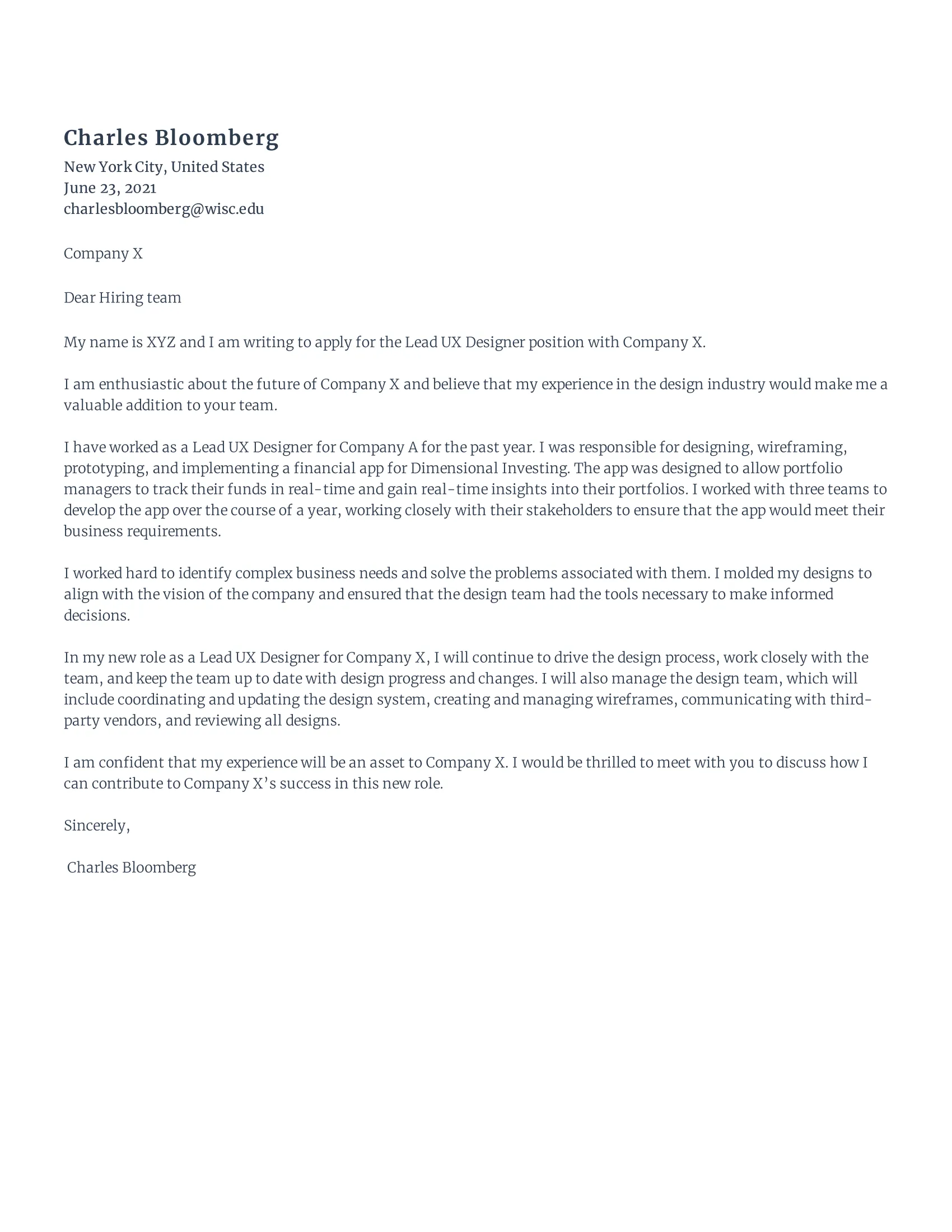
Understanding the UX Design Cover Letter
A UX design cover letter is more than just a formality; it’s your first introduction to a potential employer. It’s your chance to showcase your personality, passion for user experience, and your relevant skills. Unlike a resume, which lists your experiences, a cover letter allows you to tell a story, explain your motivations, and demonstrate why you’re the perfect fit for the role. This guide will help you understand the key components of a compelling UX design cover letter and how to write one that captures attention and lands you an interview. Your goal is to demonstrate how your unique blend of skills, experience, and enthusiasm aligns with the specific requirements of the UX design role.
Why Is a Cover Letter Important?
In the competitive field of UX design, a well-crafted cover letter can be your secret weapon. It provides context to your resume, allowing you to elaborate on your experiences and highlight the skills most relevant to the job. Recruiters and hiring managers often read cover letters first to get a sense of your communication skills and personality. It shows that you’ve put in the extra effort to tailor your application, demonstrating genuine interest in the company and the specific role. A cover letter allows you to explain any gaps in your resume, provide insights into your design process, and articulate your career goals, making you a memorable candidate. Many companies still use cover letters as a key screening tool in the hiring process, making it essential for your application.
What to Include in Your UX Design Cover Letter

Your UX design cover letter should be a concise and compelling document that includes the following key elements: your contact information, a professional greeting, a captivating opening paragraph, a middle section that highlights your relevant skills and experiences, a paragraph showcasing your passion and enthusiasm, a clear call to action, and a professional closing. Each section is designed to progressively build a narrative about your suitability for the role. The content should be tailored to the specific job description and the company’s values, demonstrating that you have done your research and understand their needs. The structure is designed to be easy to read and engaging, capturing the reader’s attention from the start.
Your UX Design Cover Letter Structure
A well-structured cover letter is easy to read and keeps the reader engaged. Here’s a suggested structure to follow:
Header
Include your name, contact information (phone number, email address, and LinkedIn profile URL), and the date. Also, include the hiring manager’s name and the company’s address if available. This is the first thing the hiring manager will see, so make sure it is professional and clearly formatted. Ensure that all the information provided is accurate and up-to-date. Consistency is key; make sure that the details match those on your resume.
Greeting

Address the hiring manager by name whenever possible. If you can’t find a specific name, use a professional greeting such as ‘Dear Hiring Manager’ or ‘Dear [Company Name] Team’. Avoid generic greetings like ‘To Whom It May Concern’ as they lack personalization. Personalized greetings show that you have taken the time to research the company and the role. If you are unsure of the name, a quick search on LinkedIn or the company website can often provide the information.
First Paragraph
Start with a strong opening statement that immediately grabs the reader’s attention. State the position you’re applying for and where you found the job posting. Briefly mention why you’re interested in the role and the company. Make it clear why you are excited about the opportunity. You might also mention a specific project or company value that resonates with you. Show genuine enthusiasm and a clear understanding of the company’s mission and values.
Second Paragraph Highlighting Relevant Skills
In this section, highlight your most relevant skills and experiences. Use specific examples from your past projects or work experiences to demonstrate your ability to solve problems, work collaboratively, and deliver results. Quantify your achievements whenever possible by using data and metrics. For example, you can mention the percentage of user task success you achieved or the increase in user engagement as a result of your design improvements. Tailor the skills you highlight to match the requirements of the job description, demonstrating that you have the necessary expertise.
Third Paragraph Showing Passion and Enthusiasm

This is your opportunity to showcase your passion for UX design and the specific role you’re applying for. Explain why you’re excited about the company and its mission. Share your long-term career goals and how this position aligns with your aspirations. Connect your personal values and career goals with the company’s culture and values. Use this space to express your enthusiasm and commitment to the company, making the reader feel your genuine interest in being a part of their team. This can be a great place to mention any specific achievements that you are especially proud of.
Call to Action
Conclude your letter with a clear call to action. Express your eagerness to discuss your qualifications further in an interview. Thank the hiring manager for their time and consideration. Reiterate your contact information for easy access. This part gives you another chance to show the hiring manager that you really want the job, and makes it easy for them to contact you. Be sure to express a clear understanding of what the next steps are.
Closing
Use a professional closing such as ‘Sincerely,’ ‘Best regards,’ or ‘Thank you’. Sign off with your full name. This is the final touch that provides closure. It underscores your professionalism and respect for the hiring process.
Formatting Your UX Design Cover Letter

The visual presentation of your cover letter is just as important as its content. Follow these formatting guidelines to ensure your letter is easy to read and professional:
File Format
Always save your cover letter as a PDF. This ensures that your formatting remains consistent regardless of the recipient’s software or operating system. It also prevents accidental changes to your document and makes it easy to share. This ensures that the layout, fonts, and images are displayed as you intended, maintaining a professional appearance.
Font Choice and Size
Choose a professional and easy-to-read font such as Arial, Calibri, or Times New Roman. Keep the font size between 10 and 12 points. Use a standard font size and style, such as 11 or 12 points, for the body text. Maintain consistency throughout the document. Use bold or italics sparingly, only to emphasize key information. Ensure that the font choice is consistent with your resume.
Proofreading

Proofread your cover letter carefully for any typos, grammatical errors, or inconsistencies. Ask a friend or colleague to review it as well. A polished, error-free cover letter reflects your attention to detail and professionalism. Check for correct spelling and grammar using a tool. Ensure all your contact information is accurate. A second pair of eyes can catch mistakes that you might miss. A cover letter with errors creates a bad impression, while a perfectly proofread letter shows that you are detail-oriented.
UX Design Cover Letter Examples
Here are a few examples to guide you:
UX Cover Letter Example 1
This example emphasizes the applicant’s problem-solving skills and their passion for user-centered design. (Insert example here)
UX Cover Letter Example 2

This sample demonstrates how to showcase specific projects and quantifiable results. (Insert example here)
UX Cover Letter Example 3
This example focuses on the applicant’s understanding of the company’s mission and values. (Insert example here)
Tips to Make Your UX Design Cover Letter Stand Out
To make your cover letter stand out, consider the following tips:
Tailor Your Letter

Customize your cover letter for each job application. Research the company and the role, and tailor your letter to address the specific requirements and keywords in the job description. This level of personalization shows that you are genuinely interested in the position and have taken the time to understand the company’s needs. Highlight the skills that are most relevant to each specific role, so that you demonstrate a clear match. Ensure that every cover letter reflects the requirements of the particular job. This increases your chances of getting noticed.
Highlight Your Portfolio
Always include a link to your online portfolio. Your portfolio is the most critical way to showcase your design skills and projects. Mention specific projects that align with the job requirements. Highlight your UX design projects and include links to your case studies. Make sure your portfolio is up-to-date and easy to navigate. Use the cover letter to guide the reader to your best work.
Showcase Your Personality
Let your personality shine through. While maintaining professionalism, write in a voice that reflects your passion for UX design. Use your cover letter to demonstrate your communication skills and express your enthusiasm for the role and the company. Make your cover letter engaging, but make sure you are still professional. Use your genuine voice to give the hiring manager an insight into your personality.
Proofread Carefully
Proofread your cover letter several times. Errors can make a bad impression. Use grammar-checking tools and ask a friend or colleague to review your letter. A well-written cover letter reflects your attention to detail and professionalism. Make sure all the key information is correct and clear, and that there are no spelling or grammatical errors. Errors can be a red flag for the hiring manager, so take the time to ensure that your cover letter is perfect.
Common Mistakes to Avoid
Avoid these common mistakes to ensure your cover letter makes a positive impression:
Generic Language
Avoid using generic phrases or clichés. Tailor your letter to each job and company. Use specific details and avoid statements that could apply to any job. Avoid a generic introduction, and avoid any overused phrases. Be specific about why you are applying for this particular role. Use the company’s language to show them you understand what they are looking for.
Typos and Grammatical Errors
Typos and grammatical errors can undermine your credibility. Always proofread your cover letter carefully and use grammar-checking tools. Proofreading is absolutely necessary. Mistakes can be a red flag. Get a second opinion to catch errors that you may miss. Always pay close attention to the details to create a perfect cover letter.
Focusing on Yourself Too Much
While it’s important to highlight your skills, don’t make your cover letter all about yourself. Focus on how you can help the company and solve their problems. Demonstrate how your skills and experiences align with the company’s needs and how you can contribute to their success. Show the company that you are more than just a candidate, and that you are a potential asset. Talk about their goals to show you understand their needs.
Final Thoughts on UX Design Cover Letters
Writing a compelling UX design cover letter is a crucial step in your job search. By following these guidelines, you can create a cover letter that highlights your skills, showcases your passion, and increases your chances of landing an interview. Remember to tailor each letter to the specific role, highlight your portfolio, and let your personality shine through. With a well-crafted cover letter, you can make a strong first impression and set yourself apart from the competition. Take the time to showcase what makes you unique and why you’re the right fit for the role.