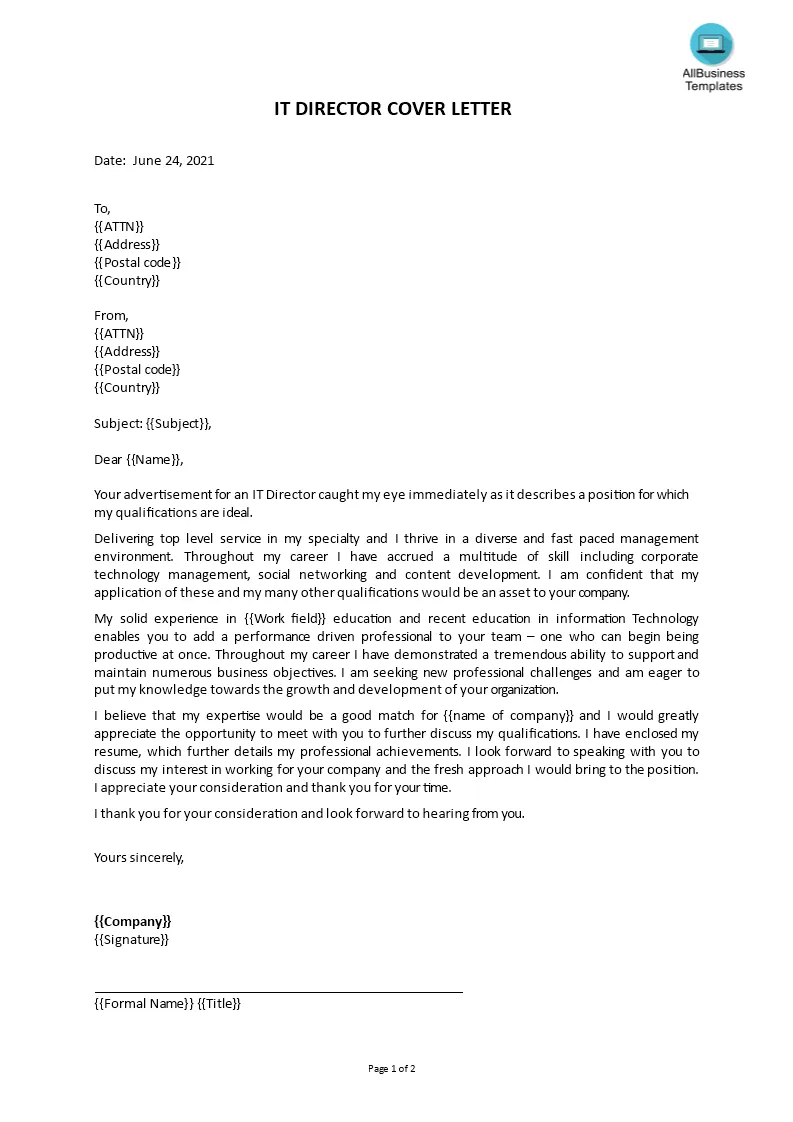
Cover Letter Email Basics
Sending a cover letter via email is a standard practice in today’s job market. It allows you to quickly and efficiently introduce yourself to a potential employer, showcasing your skills and qualifications. However, there are key elements to understand to ensure your email leaves a lasting positive impression. Knowing the basics can significantly improve your chances of getting noticed and landing an interview. This guide will help you navigate the process from subject line to closing, ensuring a professional and compelling presentation.
Why Use a Cover Letter Email
Cover letter emails serve as a digital handshake, providing an immediate impression before a recruiter even opens your resume. They offer a space to expand on your qualifications beyond the bullet points of your resume. A well-crafted email allows you to tailor your message to the specific job and company, demonstrating your genuine interest and making you stand out from the crowd. It also shows professionalism and attention to detail, critical qualities employers seek.
Email vs. Attachment

Deciding whether to include your cover letter within the email body or as an attachment depends on the employer’s instructions. Always check the job posting or application guidelines first. If no specific instruction is available, embedding the cover letter within the email body is often preferred for brevity. However, for longer or more detailed cover letters, or when formatting is crucial, attaching it as a PDF is acceptable. PDF format preserves the formatting and layout.
Cover Letter Email: Subject Line
The subject line is your first chance to grab a recruiter’s attention. It needs to be clear, concise, and relevant. A well-crafted subject line ensures your email doesn’t get lost in a sea of applications. Avoid generic subject lines. A strong subject line immediately communicates the purpose of the email and the specific role you are applying for.
Crafting the Perfect Subject Line
A perfect subject line should include the job title and your name. If the job posting has a specific reference number, be sure to include it. Keep it brief, typically under 50 characters. Use a direct and professional tone. Ensure it accurately reflects the content of the email. Avoid using overly casual language or slang. The goal is to make the recruiter want to open your email immediately.
Examples of Strong Subject Lines

Here are some example subject lines: Application for Marketing Manager Position – [Your Name]; [Job Reference Number] – Application – [Your Name]; Software Engineer Application – [Your Name]; Seeking [Job Title] Position – [Your Name]. The key is to be specific and easy to understand. These subject lines immediately tell the recruiter what the email is about and who it’s from, making it easy to organize and prioritize.
Cover Letter Email Body: Key Elements
The body of your email is where you make your pitch. It should be well-written, concise, and tailored to the specific job. Focus on highlighting your most relevant skills and experiences. Clearly articulate why you are a good fit for the role and what you can bring to the company. Be sure to proofread carefully for any errors in grammar or spelling. A polished cover letter email significantly boosts your chances of success.
Greeting and Introduction
Start with a professional greeting such as “Dear [Hiring Manager name]” or, if the name is unknown, “Dear Hiring Team.” In your introduction, state the position you’re applying for and how you found the opening. Briefly mention your most relevant qualifications and express your enthusiasm for the opportunity. Keep the introduction concise and focused on the job requirements.
Highlighting Relevant Skills

In the body of your email, provide specific examples of how your skills and experience align with the job requirements. Use action verbs to describe your accomplishments and quantify your achievements whenever possible. Tailor this section to the specific job description, focusing on the skills and experiences that are most relevant. This helps the recruiter quickly understand your qualifications.
Demonstrating Value
Show the hiring manager what you can bring to the company. Explain how your skills and experience can benefit the organization. Consider what problems you can solve or what goals you can help the company achieve. Emphasize how your unique qualifications set you apart from other candidates. Focus on how you will contribute to the company’s success.
Call to Action and Closing
End your email with a clear call to action, such as requesting an interview or expressing your interest in discussing the position further. Thank the hiring manager for their time and consideration. Use a professional closing, such as “Sincerely” or “Best regards,” followed by your full name. Proofread the entire email before sending it, including your contact information.
Cover Letter Email Samples

Reviewing samples provides a practical understanding of how to write an effective cover letter email. These samples can guide you in structuring your email, highlighting relevant skills, and using appropriate language. Tailoring a sample to your specific situation is key to effectively conveying your qualifications and interest in the job. Remember to customize any sample to reflect your individual experiences and the requirements of the specific role.
Sample Cover Letter Email for [Industry]
A sample cover letter email for the [industry] should be tailored to the specific requirements and expectations of the industry. It should showcase your industry-specific skills and experiences, using language and terminology that is familiar to the hiring manager. For example, if applying for a marketing role, the email should highlight your understanding of marketing strategies and analytics. Always adjust your email to the specific job description and industry practices.
Sample Cover Letter Email for [Specific Role]
When applying for a specific role, your cover letter email should directly address the requirements of the job description. It should highlight the skills, experiences, and qualifications most relevant to the position. Use the job description as a guide to identify key phrases and keywords to include in your email. Tailor your examples to match the job responsibilities and clearly demonstrate your ability to perform the duties of the role. Ensure your email showcases your genuine interest in the specific position.
Formatting and Design for Emails

The formatting and design of your cover letter email significantly impact its readability and professionalism. A well-formatted email is easier to read and more likely to make a positive impression. Choose a clean and professional font, such as Arial or Times New Roman. Break up large blocks of text with short paragraphs. Use bullet points to highlight key skills or accomplishments. Ensure there is consistent spacing throughout the email.
Best Practices for Readability
Improve readability by using short, concise sentences and paragraphs. Use white space to separate different sections and paragraphs. Bold important information to draw the reader’s attention. Vary the sentence structure to avoid monotony. Proofread carefully for any grammatical errors or typos. These practices make your email easier for the hiring manager to read and comprehend.
Importance of Mobile Optimization
Many recruiters will review your cover letter email on a mobile device. Ensure your email is mobile-friendly by using a responsive design. Avoid wide tables or complex formatting that might not display correctly on a smaller screen. Keep the subject line and body concise. Test your email on different devices to ensure it looks professional and easy to read. Ensure your contact information is easy to find.
Proofreading and Editing

Thorough proofreading and editing are critical steps in the cover letter email process. Review your email carefully for any errors in spelling, grammar, or punctuation. Check the formatting to ensure it is consistent and professional. Read the email aloud to catch any awkward phrasing or unclear sentences. Consider asking a friend or colleague to proofread your email. A well-proofread email demonstrates attention to detail and professionalism.