What is a Free Resume Builder?
In the competitive job market, a well-crafted resume is your key to unlocking new opportunities. A free resume builder simplifies the resume creation process, offering user-friendly interfaces, pre-designed templates, and helpful tools to guide you. These builders are online platforms or software that assist users in creating professional-looking resumes without needing advanced design skills. They typically provide a variety of templates, allowing users to input their information into designated fields, and the builder formats the content into a polished resume. They often offer features like spell-check, keyword suggestions, and the ability to download the resume in various formats, such as PDF and Word. This allows job seekers to quickly create resumes that highlight their skills and experience, making them stand out to potential employers. Choosing the right one can save significant time and effort, ensuring your resume is clear, concise, and tailored to the job you are applying for.
Benefits of Using a Free Resume Builder
The advantages of using a free resume builder are numerous, making it an excellent choice for job seekers of all levels. First and foremost, the financial aspect is appealing. With a free builder, you can create a professional resume without spending money on expensive software or hiring a professional resume writer. Also, resume builders save you time. They provide ready-made templates and formatting, meaning you don’t have to start from scratch. This is particularly beneficial for those who have limited time or are unfamiliar with resume design principles. Another key benefit is the ease of use. Most free resume builders have user-friendly interfaces that guide you through the process step by step. They often offer helpful tips and suggestions, making it easier to write and format your resume. Also, many builders have a cover letter creation option which helps the applicant create a cover letter to the job they are applying for.
Easy Steps to Create a Resume with a Free Builder

Creating a resume using a free builder is a straightforward process. Begin by selecting a template that suits your experience and the job you are applying for. Consider the layout, font, and overall design. Once you’ve chosen a template, start filling in the required information. This typically includes your contact details, professional summary or objective, work experience, education, skills, and any additional sections like certifications or volunteer work. Pay close attention to each section to ensure accuracy and relevance. Most builders allow you to preview your resume as you go, giving you a clear idea of how it will look. Make sure to proofread your resume carefully before finalizing it. Check for any typos, grammatical errors, and formatting inconsistencies. If the builder offers it, use the spell-check feature. A polished resume demonstrates professionalism and attention to detail, which are vital in attracting the attention of potential employers.
Choosing the Right Free Resume Builder
Choosing the right free resume builder is crucial for creating a compelling resume that represents you and helps you get hired. One of the first steps is to review and compare several builders. Look for builders that offer a wide variety of templates to match your industry and experience level. A good builder will have templates that are clean, easy to read, and customizable. Make sure the builder provides a user-friendly interface. The best builders offer an intuitive experience with easy navigation and clear instructions. Consider features like keyword suggestions, spell-check, and the ability to download your resume in multiple formats, such as PDF and Word. Read reviews and see what other users say about their experience. Are they satisfied with the templates and the builder’s overall functionality? User feedback can provide valuable insights into the builder’s reliability and effectiveness. Also, it is vital to choose a builder that is compatible with different browsers and devices, so you can work on your resume from anywhere.
Key Features to Look For
When selecting a free resume builder, several key features can enhance your resume-building experience. First and foremost, a wide selection of templates is essential. Different templates are suitable for different industries and experience levels, so having options allows you to customize your resume to match the job requirements. A good builder should provide a user-friendly interface that is easy to navigate. Intuitive design makes it easier to input your information and make adjustments. Another crucial feature is the ability to customize templates. The ability to change fonts, colors, and layouts allows you to personalize your resume to your unique style. Keyword suggestions can help you optimize your resume for Applicant Tracking Systems (ATS). The best builders will offer tips and suggestions to include relevant keywords, increasing the chances of getting noticed by recruiters. Also, consider features like spell-check, which helps you to correct errors. The ability to download your resume in PDF and Word formats is important, as different employers may require different formats.
Resume Templates and Customization Options

Resume templates form the foundation of your resume, and customization options enable you to make it unique and relevant to the job you are seeking. A good resume builder offers a diverse selection of templates, from basic chronological formats to more creative and functional designs. Look for templates suited for various industries and career levels, ensuring you can find one that best matches your experience and the job requirements. Also, consider the level of customization the builder provides. Can you change the font, colors, and layout? The ability to customize your resume to match your personal brand and the company’s style is important. Make sure you can easily adjust the sections and add or remove elements as needed. The best templates are professionally designed and easy to read. Make sure the layout is clean, with clear headings and enough white space. These templates are designed to present your skills and experience in a way that is easy to review and appreciate for recruiters.
Resume Builder Cover Letter Integration
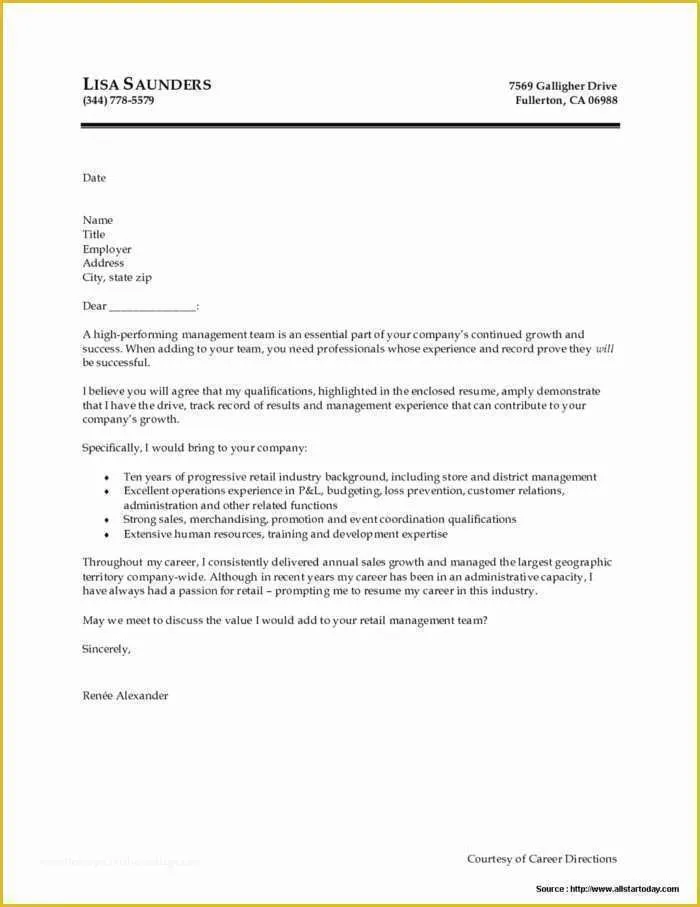
The integration of a cover letter with your resume through a free resume builder offers significant benefits, streamlining the job application process and improving your chances of getting hired. Many resume builders include cover letter creation as a feature. This integration allows you to generate both documents within the same platform, saving time and effort. The advantage is the consistency. When you create your resume and cover letter within the same tool, you can maintain a consistent design, fonts, and overall style, creating a more cohesive and professional application. Also, cover letter integration simplifies the process of customizing your cover letter for each job application. You can easily tailor your letter to match the specific job requirements and highlight the skills and experience that are most relevant. The builder should offer features such as templates and guides, which make it easier to write a cover letter that complements your resume. This helps you showcase your personality, interest, and enthusiasm for the role.
How to Write a Compelling Cover Letter
Writing a compelling cover letter involves more than simply restating your resume; it is your opportunity to make a strong first impression. Begin by addressing the hiring manager by name whenever possible, which demonstrates that you have done your research and are genuinely interested in the position. Start with a strong opening that grabs their attention and clearly states why you are a good fit for the job. In the body of your letter, highlight your key skills and experiences that are most relevant to the job description. Use specific examples to show how you have successfully applied those skills in the past. Explain why you are interested in the specific company or organization. Research their mission, values, and recent achievements. This will show your genuine interest. Finally, end with a strong call to action. Restate your interest in the position and encourage the hiring manager to contact you for an interview. Be sure to proofread your cover letter. Typos and grammatical errors can undermine your credibility.
Formatting Your Resume for Success

Effective formatting is important in ensuring your resume is easy to read and highlights your key skills and experiences. Select a clean and professional font, such as Arial, Calibri, or Times New Roman, and maintain a consistent font size throughout the document. Use clear headings and subheadings to organize your information logically. This allows recruiters to quickly find the information they are looking for. Utilize white space effectively to avoid a cluttered appearance. Provide enough space between sections, lines, and paragraphs. Use bullet points to list your accomplishments and responsibilities under each job title. This format makes your achievements stand out and makes them easier to scan. Include a professional summary or objective at the top of your resume. This provides a brief overview of your skills and career goals. Prioritize your experience. Place the most recent or relevant experience first. Customize your resume for each job. Tailor the content and formatting to match the specific requirements of each role.
Tips for a Professional Resume
Creating a professional resume requires attention to detail and a clear understanding of what recruiters are looking for. First, always proofread your resume carefully before sending it. Errors in grammar or typos make a negative impression. Be sure to use action verbs. Start your bullet points with strong action verbs to describe your accomplishments and responsibilities. This makes your resume more dynamic and engaging. Quantify your achievements whenever possible. Include numbers, percentages, or other metrics to demonstrate the impact of your work. Tailor your resume to each job application. Customize your resume to highlight the skills and experiences that are most relevant to the specific job you are applying for. Use a professional email address and phone number. Make sure your contact information is up-to-date and easy to find. Keep your resume concise. Try to keep it to one or two pages, focusing on the most important and relevant information. Finally, choose a professional template. Select a clean, easy-to-read template to make a strong first impression.
Adding Relevant Keywords to Your Resume
Adding relevant keywords to your resume is a key aspect of getting noticed by Applicant Tracking Systems (ATS) and recruiters. Begin by carefully reviewing the job description for the positions you are applying for. Identify the keywords and phrases that are used to describe the required skills, qualifications, and experience. Make sure that these match your expertise. Integrate those keywords into your resume naturally. Include them in your professional summary, work experience descriptions, and skills section. Avoid keyword stuffing, which is using keywords excessively and unnaturally. Also, use synonyms and related terms. ATS and recruiters may look for different variations of the same keyword, so use a variety of related terms. Use industry-specific jargon and terminology. Use language that is familiar to recruiters and hiring managers in your field. Review and update your keywords regularly. As you gain new skills and experience, update your resume to reflect your current abilities and keep it optimized for the latest job postings.
Reviewing and Refining Your Resume

Once you’ve created your resume, reviewing and refining it is critical to ensure it is polished, accurate, and effective. Start by proofreading your resume carefully. Check for any spelling, grammar, or punctuation errors. Having a fresh pair of eyes review your resume can help you identify mistakes you may have missed. Ensure your formatting is consistent throughout the document. Also, have someone else review your resume. Ask a friend, family member, or career advisor to review your resume and provide feedback. Make sure the information is accurate and up-to-date. Review your resume to ensure all the information is accurate and reflects your current skills, experience, and contact details. Ensure your resume is tailored to each job application. Customize your resume to highlight the most relevant skills and experiences for each specific role. Use clear and concise language. Avoid jargon or overly complicated phrasing that might confuse recruiters.
Finalizing and Downloading Your Resume
Finalizing and downloading your resume are the last steps in the process, and they are important for presenting your information in the best possible way. Choose the appropriate file format for your resume. The PDF format is generally recommended because it preserves the formatting and ensures your resume looks the same across different devices and operating systems. If the job application requires a Word document, make sure your resume is compatible. Check your resume one last time before downloading it. Review your resume for any final errors or inconsistencies, paying attention to the layout, formatting, and content. Save your resume with a professional file name. Use a clear and concise file name, like “YourName_Resume” or “YourName_CoverLetter”. Download your resume and store it in a safe location. Keep a copy of your resume in a place you can easily access it, and also consider saving it in the cloud or on a backup drive. Be prepared to make revisions. As you gain more experience or apply for different roles, you may need to update your resume.
Resume builder tips to land the job
Using a free resume builder is a great start, but a few additional strategies can significantly boost your chances of landing a job. First, research the company and the job you are applying for. Tailor your resume and cover letter to highlight the skills and experiences that align with the job description. Also, optimize your resume for Applicant Tracking Systems (ATS). ATS are used by many companies to screen resumes, so make sure your resume includes the right keywords. Use action verbs and quantify your achievements whenever possible. This will make your resume more engaging and compelling. Prepare for the interview. If you get an interview, prepare to discuss the skills and experiences highlighted in your resume. Network with professionals in your field. Attend industry events and connect with people who can provide advice and support. Finally, be persistent and patient. The job search can be challenging. Don’t get discouraged. Keep applying, refining your resume, and pursuing your goals.